

How to Use GPS Module
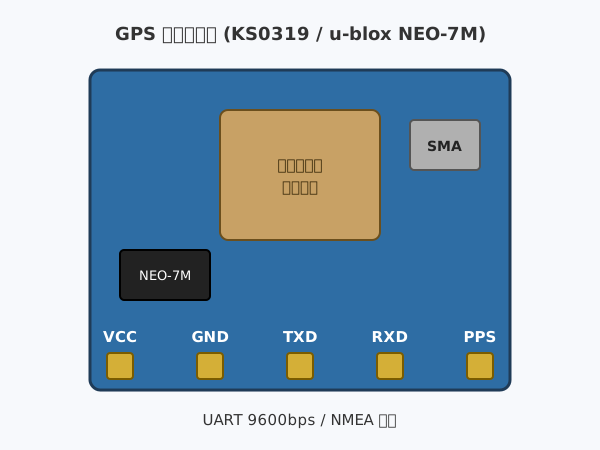
By receiving radio waves from satellites, you can find the latitude, longitude, and altitude of your current location, as well as how fast you are moving.
You can use it for projects such as recording locations outdoors or measuring movement speed.
About the Module
The module uses the u-blox NEO-7M. It receives radio waves from multiple GPS satellites with its antenna and calculates latitude, longitude, altitude, and speed.
Satellite signals do not reach well indoors, so use it outdoors or near a window. After power-on, it takes from several tens of seconds to a few minutes until the first position fix.
The result is sent once per second over UART (9600bps) as text in the NMEA format. SPACEBLOCK reads this text and turns it into numbers you can use in blocks.
Specifications
| Voltage | 3.3~5V |
|---|---|
| Current Consumption | Approx. 40mA |
| Communication | UART 9600bps |
| Update Rate | Once per second |
| Antenna | Built-in ceramic antenna + external antenna (SMA) |
How to Connect
Connect the GPS module and SpaceBlock microcontroller board using jumper wires (male-female) as follows:
- GPS module TXD pin to SpaceBlock B11 pin
- GPS module VCC pin to SpaceBlock 5V
- GPS module GND pin to SpaceBlock GND
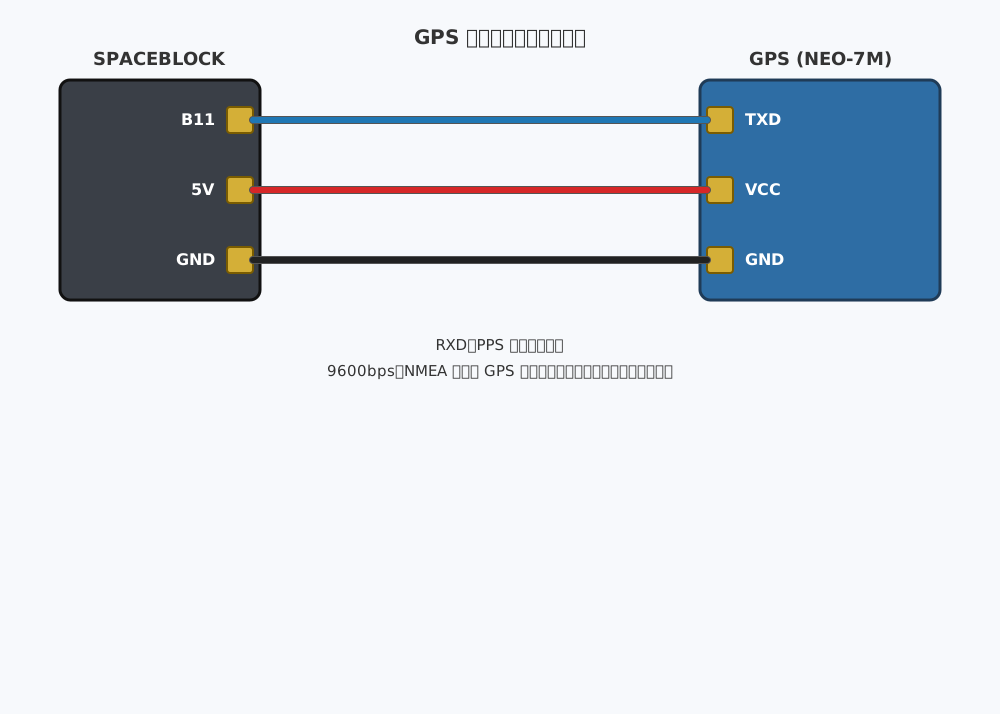
※Do not connect the RXD and PPS pins.
※GPS modules from other manufacturers (such as Akizuki GYSFDMAXB, or generic modules using NEO-6M / NEO-8M) can be connected and used in the same way, as long as they output NMEA at 9600bps.
How to Use
The "Get GPS latitude" and "Get GPS longitude" blocks return the latitude and longitude of your current location.
The "Get GPS altitude (m)" block returns the altitude (m), and the "Get GPS speed (km/h)" block returns the movement speed (km/h).
The "Get GPS satellite count" block returns the number of satellites used for positioning.
The "GPS has fix" block becomes true when the current location is known. Before a fix, values such as latitude and longitude are 0, so check with this block before using them.
You can get values from the GPS module using blocks in the "Input" category of your project.
For detailed block usage, click here
Get GPS latitude