

How to Use RFID Reader Module
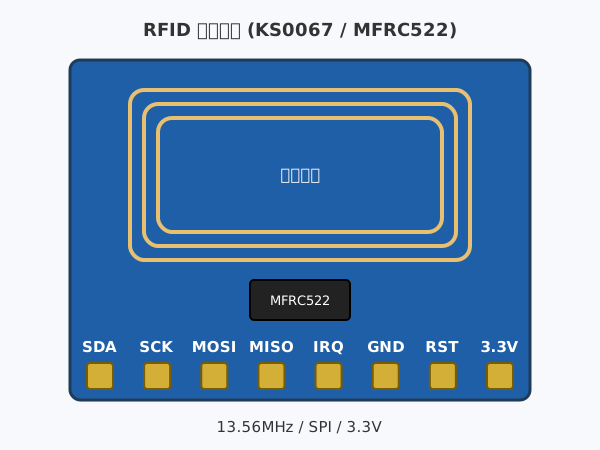
When you bring an IC card or tag close, you can read an ID that is different for each card.
You can use it for projects such as a lock that opens only with a specific card, or attendance checks.
About the Module
The module uses the MFRC522. It communicates with IC cards (MIFARE) using 13.56MHz radio waves and reads an ID (UID) that is different for each card.
The included white card and key fob tag can be used. The reading distance is a few cm, so bring the card close to the module.
Specifications
| Voltage | 3.3V |
|---|---|
| Communication | SPI |
| Frequency | 13.56MHz |
| Reading Distance | A few cm |
How to Connect
Connect the RFID reader module and SpaceBlock microcontroller board using jumper wires (male-female) as follows:
- RFID reader SDA (CS) pin to SpaceBlock B9 pin
- RFID reader SCK pin to SpaceBlock A5 pin
- RFID reader MOSI pin to SpaceBlock A7 pin
- RFID reader MISO pin to SpaceBlock A6 pin
- RFID reader RST pin to SpaceBlock 3.3V
- RFID reader GND pin to SpaceBlock GND
- RFID reader 3.3V pin to SpaceBlock 3.3V
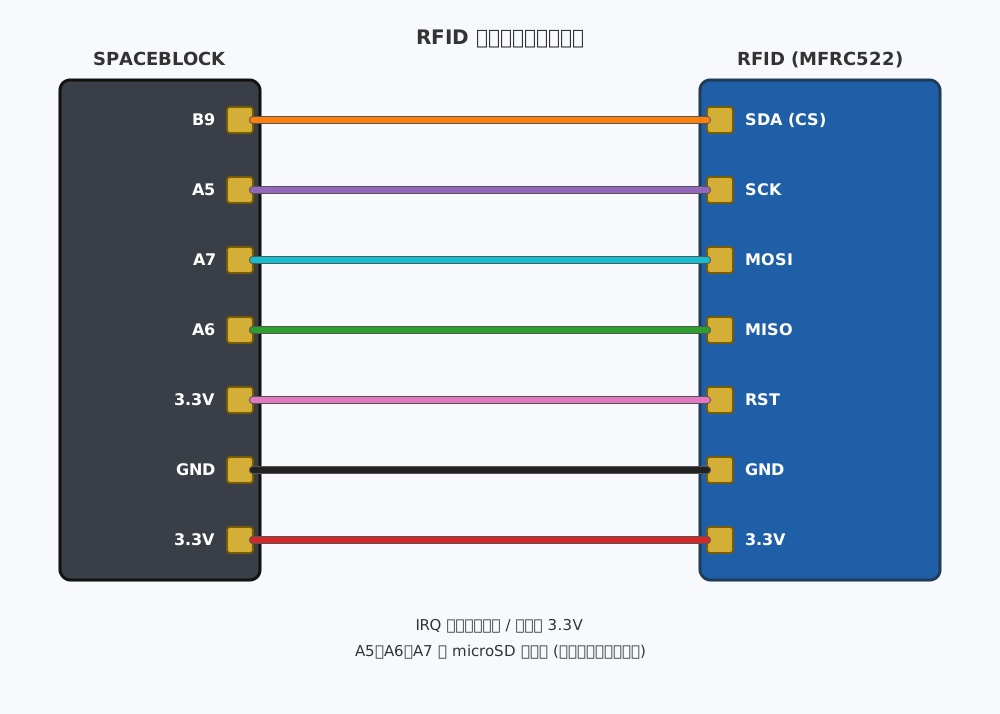
※Do not connect the IRQ pin. Select the pin connected to the SDA (CS) pin in the pin field of the block.
※A5, A6, and A7 are shared with microSD. If you also use microSD, you can connect both as they are.
How to Use
The "RFID [B9] card present" block becomes true while a card is held over the reader.
The "RFID [B9] card ID" block returns the card ID as an 8-digit hexadecimal string (e.g. A1B2C3D4). Use it like "if card ID = "A1B2C3D4"" to check for a specific card. When no card is present, it returns the ID that was read last.
The "write text [hello] to the RFID card [B9]" block stores a short text (up to 48 bytes, i.e. 48 letters or 16 Japanese characters) on the included card or tag, and the "text on the RFID card [B9]" block reads it back. Use it for projects where each card carries a name or points.
You can get values from the RFID reader module using blocks in the "Input" category of your project.
For detailed block usage, click here
RFID card ID