

[No.2] What Is Programming? Become a SPACEBLOCK Programmer!
SPACEBLOCK, the tiny computer for making things, doesn't have the program it needs to run yet. You will become a programmer and make SPACEBLOCK's programs! Before you start, let's look at what a program actually is. We'll also show you the screen where you make programs for SPACEBLOCK!
What Does a Program Do?
A computer can "carry out the instructions it is given, exactly." Those instructions are the program. A program isn't like giving instructions to a person with words. You make it by writing a set of steps in a language the computer understands.
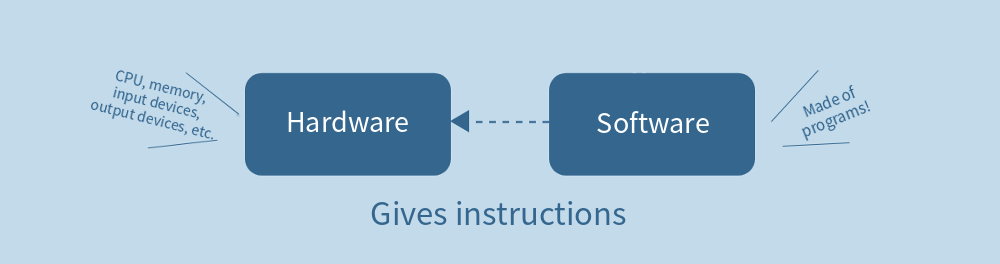
As we saw in No.1, a computer is made of parts: a CPU, memory, input devices, and output devices. SPACEBLOCK also has these parts connected on a small board so it works as one computer. Everything you can see and touch like this is called "hardware." Programs, on the other hand, are called "software," and you can't touch them.
Computers and smartphones have lots of apps, like word processors, spreadsheets, maps, and messengers. These apps are all software. By switching software, the same hardware can do different things. On computers and smartphones, software is saved in a kind of memory inside the hardware called "storage," which keeps its contents even when the power is off.
How Computers Differ from the Computers in Appliances
On computers and smartphones, besides the apps, there is software called an "OS (operating system)." The OS provides basic features so you can use the device with the same look and rules even when the hardware is different, and it connects the apps to the hardware. For example, "Windows" and "macOS" are operating systems for computers.
The small computers inside appliances like washing machines and refrigerators don't run an OS. Instead, a program made just for that appliance is prepared in advance, and only that software runs.
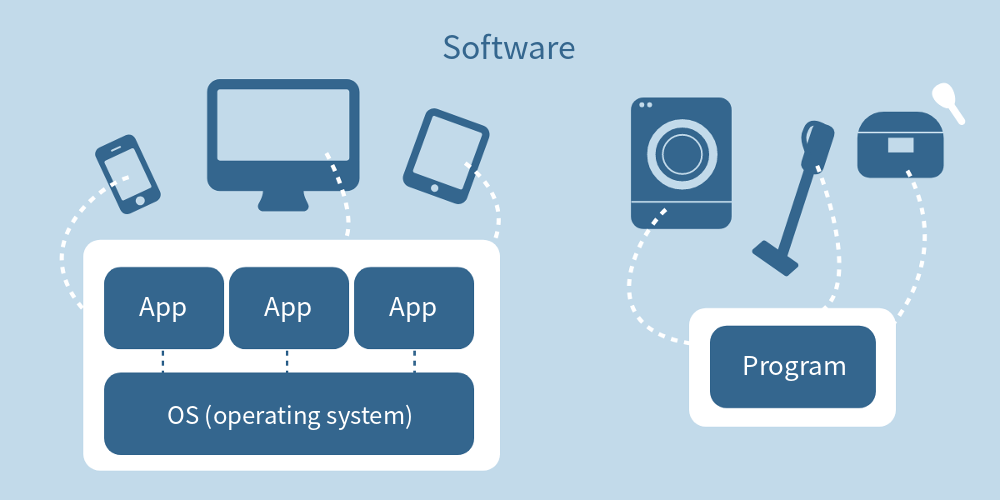
SPACEBLOCK is similar to the small computers in appliances: it runs just one program, the one it needs. Every time you make a new program, the whole software is rewritten, and SPACEBLOCK starts doing something new.
How Do You Make a Program for SPACEBLOCK?
Now let's make a program for SPACEBLOCK! Making a program is called "programming," and you use a computer to program SPACEBLOCK. You make the program on the computer and transfer it to SPACEBLOCK. To do that, you connect the computer and SPACEBLOCK with a USB cable.
When you want to check how it works while you are making the program, run the program on the computer. That way, you can control the SPACEBLOCK connected by the cable directly from the computer and try it out.
When the program is finished, you can transfer it to SPACEBLOCK. Once the program is transferred, you can disconnect SPACEBLOCK from the computer and it runs on its own.
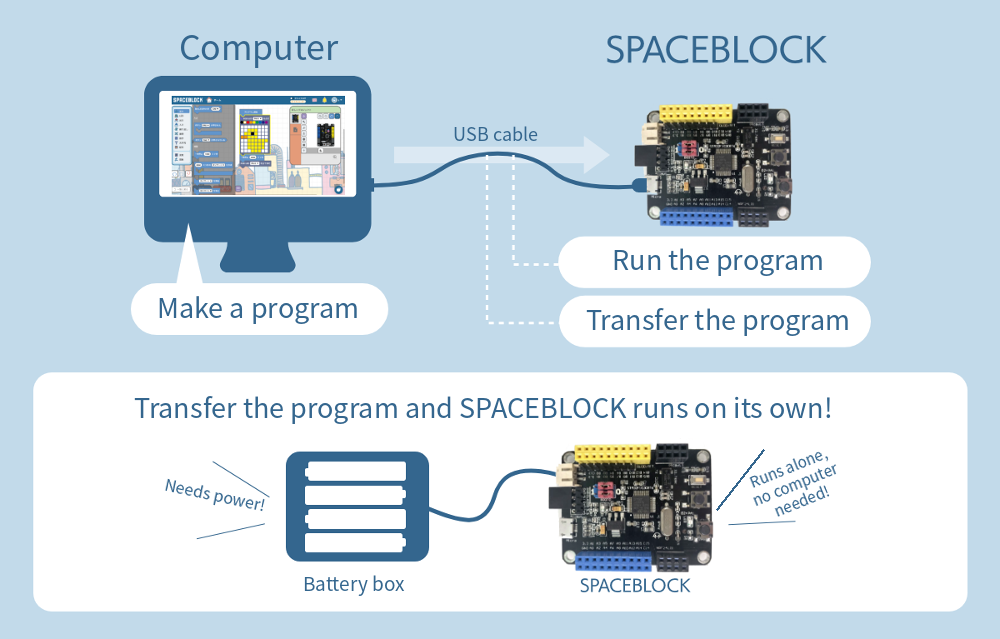
Note that SPACEBLOCK needs power to run on its own. When it is connected to a computer with a USB cable, the computer supplies the power. When SPACEBLOCK runs on its own, connect a battery box.
Programming Is Easy to Do!
When you hear "programming," you might picture a programmer typing tons of text on a keyboard. But with SPACEBLOCK, even beginners can program with simple actions.
The instructions you need to make a program are shaped like blocks, and you can build a program just by dragging and dropping these instruction blocks.
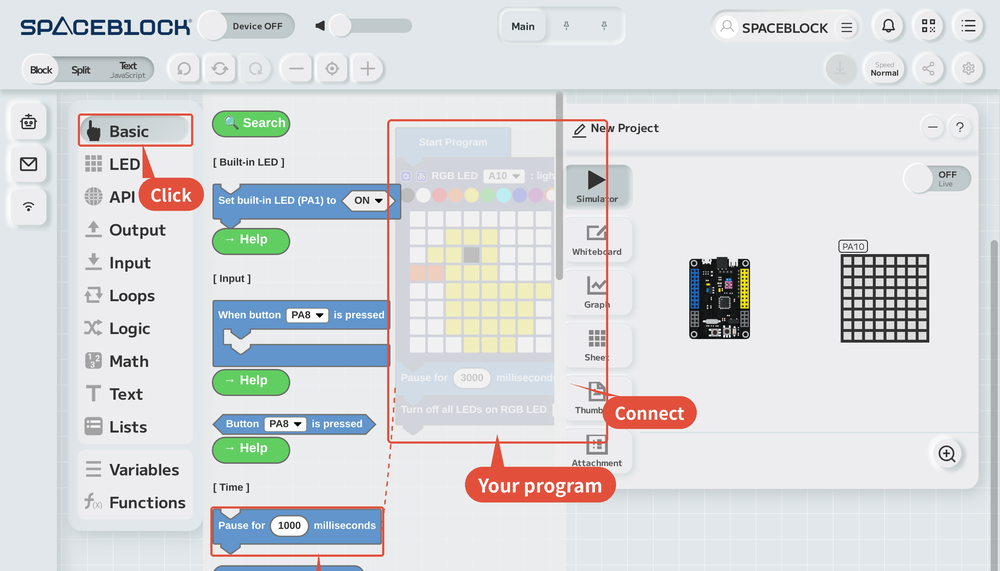
The programming languages adults use at work really are about "writing lots of text": you type letters, numbers, and symbols on a keyboard. There are many programming languages for different purposes, and their rules are a little different, but the basic way of thinking when you make a program is the same.
The SPACEBLOCK programming screen is easy to use, but it is designed so you build programs with the same way of thinking as text-based programming languages, so you can learn the basics.
Next time, we'll check each step of programming with SPACEBLOCK, from creating a project to transferring the program. Stay tuned!
